

Request a demo specialized to your need.
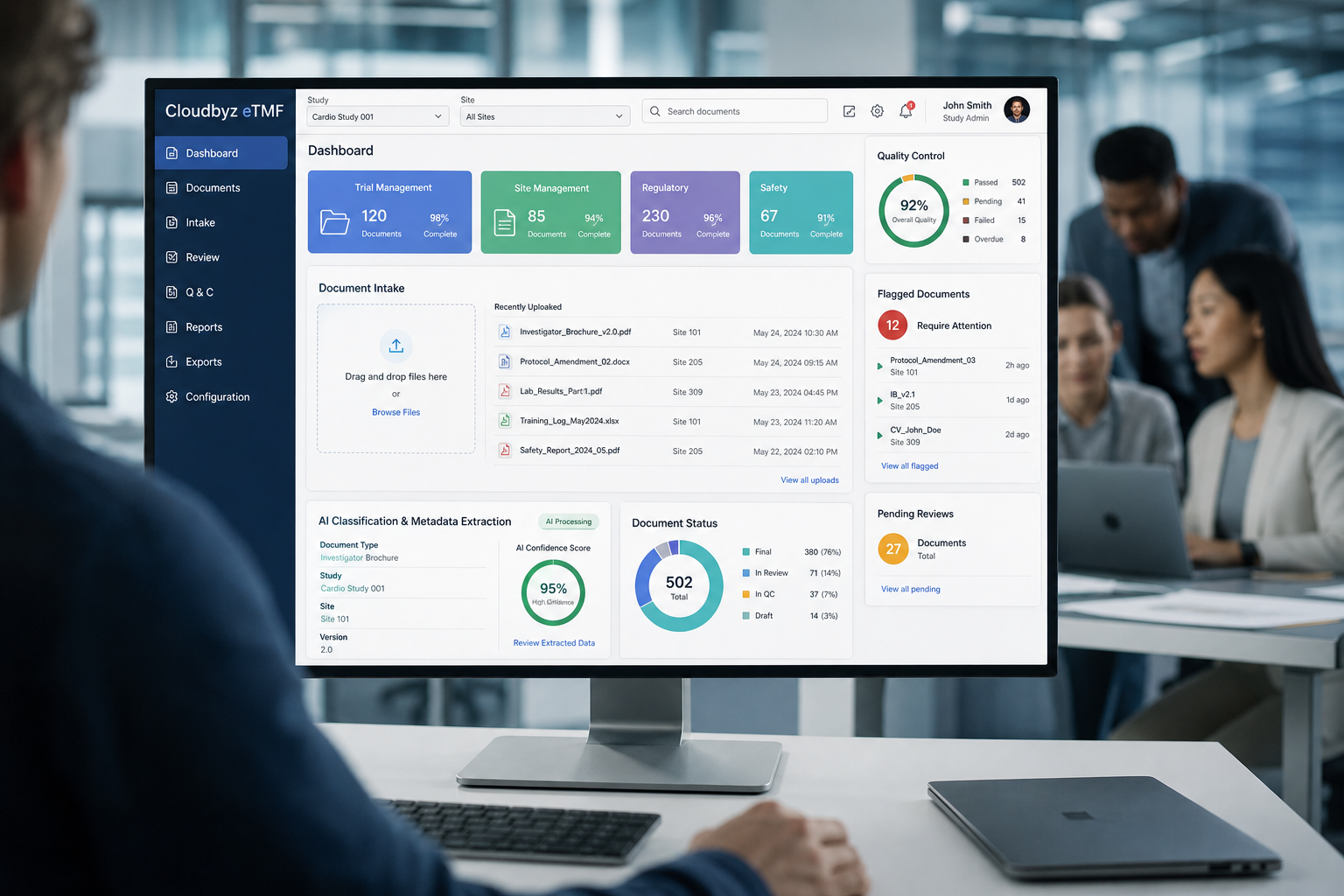
Cloudbyz eTMF, documents are uploaded once, classified and indexed with AI assistance, checked against their own content, screened for personal data, and either approved within thresholds the team sets or sent to a person for QC. Approved documents are filed to the right artifact with metadata and a full audit trail. Cloudbyz eTMF is a Salesforce-native electronic trial master file used by organisations from emerging biotechs to large pharma, global multinationals, CROs and device companies.
Why intake and QC decide inspection outcomes
The EU expects the TMF to contain the essential documents at all times and to be readily available to inspectors (EMA TMF guideline). In MHRA inspections of commercial sponsors, more than 80% had at least one TMF finding (MHRA). Most problems start at intake: documents filed late, misclassified, missing signatures, or carrying personal data that should have been redacted. ICH E6(R3) also asks for quality control proportionate to risk (ICH E6(R3), EMA Step 5).
Step by step
- Upload once. Documents are added by drag and drop, in bulk, or straight from connected processes such as CTMS monitoring.
- Classify and index. The AI eTMF Agent suggests the artifact and extracts metadata such as study, site, date and version.
- Validate against content. Extracted metadata is checked against what the document actually says.
- Screen for personal data. Documents with personal data are flagged for redaction review.
- Approve or route to QC. Documents within configured confidence thresholds can be approved automatically; everything else goes to a QC reviewer, with issues such as a missing signature flagged.
- Sign and file. Approvals use 21 CFR Part 11 compliant electronic signatures, and the document is filed with its metadata and audit trail.
- Measure. Dashboards show completeness, timeliness and open QC issues by study, site and artifact.
What this changes
|
Task |
Manual intake |
Cloudbyz eTMF |
|---|---|---|
|
Classification |
Each document indexed by hand |
Suggested on upload |
|
Metadata |
Typed in |
Extracted and checked against content |
|
Personal data |
Found later, if at all |
Flagged at intake |
|
QC |
Every document reviewed the same way |
Thresholds decide what a person reviews |
|
Visibility |
QC backlog unknown |
Open QC issues on a dashboard |
See intake and QC in Cloudbyz eTMF
The Cloudbyz team can show a document moving from upload to filing. Book a demo or visit cloudbyz.com.
Subscribe to our Newsletter
